The Digital Journal of Photography

Expert Reviews for Serious Photographers

  • Home
  • Reviews
  • Practice
  • Shop
  • Log In
  • Subscribe
  • About
  • Privacy Policy
News

Sony silently launches A7R IVA with new higher res LCD screen

Sony has silently launched the Sony A7R IVA (ILCE-7RM4A). The new model differs by the rear LCD screen resolution, which is now 2,359,296 dots, up from 1,440,000 dots in the original. Also…

read more
April 7, 2021
News

Novoflex announce the Qube: a modular geared head to rival the Arca Swiss Cube

Novoflex has announced the Qube, a geared head potentially aimed at Arca Swiss Cube users. With brass guides, the Qube looks to be robust, particularly as there are no geared…

read more
July 25, 2024
News

X-Rite announces new ColorChecker Passport and Calibration solution using ICC profiles for Capture One Pro

  Colour management and measurement specialists X-Rite have introduced a new ColorChecker Passport Photo 2 target that has four targets (instead of three, previously), including a new 18% Grey Balance…

read more
April 11, 2019

Affiliates

This site earns commission from Amazon and other retailers. This does not affect the price you pay.

  • Canon 35mm F1.4 RF on a white background
    Lens Reviews

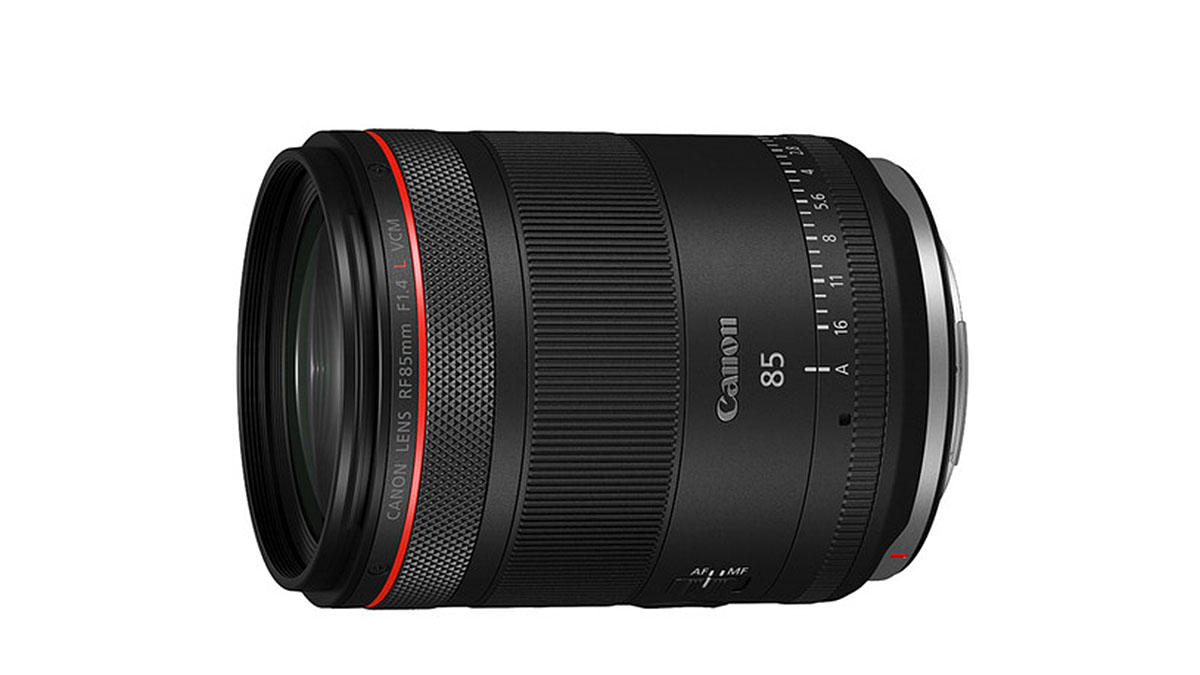
    Canon RF 35mm F1.4 L VCM lens review

    July 30, 2025 / 2 Comments

    Key features Highly versatile 35mm focal length Stills/video hybrid VCM for smooth focusing Nano USM for floating element control Floating element design to reduce aberrations at close range Breathing correction SSC and ASC coatings reduce lens flare, and ghosting Aperture/iris collar for video  11 aperture blades Custom function button What is it? The Canon RF 35mm F1.4L VCM is a high-speed, stills and video-oriented semi-wide-angle lens designed for the EOS R range of mirrorless cameras. It’s the successor to the much-vaunted EF 35mm F1.4L USM II, only it’s not quite what we were expecting. Like the Canon RF 24-105mm F2.8L, this lens is a hybrid model that appeals to both…

    read more
    Kevin Carter

    You May Also Like

    Sigma 105mm F1.4 DG HSM Art on a white background

    Sigma 105mm F1.4 DG HSM Art lens review: Outstanding performer

    September 29, 2018
    Sigma 45mm F2.8 DG DN Contemporary

    Sigma 45mm F2.8 DG DN Contemporary lens review: Great rendering and build quality

    September 23, 2019
    Nikon Nikkor Z 24-70mm F4

    Nikon Nikkor Z 24-70mm F4 sample gallery

    December 12, 2018
  • Lightoom icon on a black background
    Features

    Step-by-Step Lightroom Classic Workflow plus useful tips

    July 26, 2025 / Comments Off on Step-by-Step Lightroom Classic Workflow plus useful tips

    A well-structured workflow in Adobe Lightroom Classic can significantly enhance your photo editing efficiency and organisation. This is the typical workflow from import to export, but feel free to adjust the steps as needed to fit your style and preferences. Step-by-Step Lightroom Workflow STEP DESCRIPTION 1. Import Photos Use the Import dialog to select photos. Apply metadata (copyright, creator/artist’s name), keywords, and any develop(ment) settings during import. 2. Organize Create folders (and collections) to organise images. Use star ratings, flags, or colour labels to categorise photos. 3. Culling Review images and select the best ones. Use flags (Pick/Reject) to quickly sort through images. 4. Basic Adjustments Start with basic edits:…

    read more
    Kevin Carter

    You May Also Like

    Hidden Features of Capture One: Save your Workspace

    June 9, 2021
    Noct Nikkor on a white background.

    Aperture values for comparison of lens speed

    June 7, 2024
    Lightoom icon on a black background

    How to create and use Virtual Copies in Lightroom

    July 22, 2025
  • Picture shows a Nextorage SDXC card on a white background
    News

    Save up to 40% at Amazon on Nextorage SDXC V90-rated cards

    July 24, 2025 / Comments Off on Save up to 40% at Amazon on Nextorage SDXC V90-rated cards

    Amazon UK have Nextorage F2 Pro SDXC UHS-II V90-rated U3 cards at a special price – the cheapest I’ve seen them at: Nextorage F2 Pro SDXC 128 GB at £74.99, was £124.99 (40% off) Nextorage F2 Pro SDXC 256 GB at £139.99, was £199.99 (30% off) Nextorage ‘Pro’ cards are very high-performance, using pSLC NAND flash, instead of the more usual TLC type. I’ve been using them for a while, and they are now among my first choice of brands, along with ProGrade Digital. Lexar, SanDisk, and Sony can still be recommended, but highly competitive offerings like these are hard to beat for the price/performance ratio.   Articles may include…

    read more
    Kevin Carter

    You May Also Like

    Purchase Capture One Pro and save on Styles Packs

    January 24, 2019

    Capture One 12.1 Announced with New tools and Profile Support for Nikkor Z mount Lenses

    June 17, 2019

    Leica APO-Summicron-SL 50mm F2 ASPH lens announced

    August 15, 2019
  • Lightoom icon on a black background
    Features,  News

    How to create and use Virtual Copies in Lightroom

    July 22, 2025 / 1 Comment

    In Adobe Lightroom Classic, you can easily duplicate a photo with various edits using the Virtual Copy function. Here’s how to use virtual copies in Lightroom: What are Virtual Copies? In Lightroom, a virtual copy allows you to create a duplicate of a photo without actually duplicating the file on your hard drive. This means you can apply different edits, settings, or metadata to the same original image while keeping the original intact and unaltered. Crucially, VCs allow you to visually compare the effect of various edits on what’s essentially the same photo, without the huge file sizes of TIFFs. It’s an essential feature of a parametric editor and critical…

    read more
    Kevin Carter

    You May Also Like

    Lightoom icon on a black background

    Step-by-Step Lightroom Classic Workflow plus useful tips

    July 26, 2025
    Capture One Pro in browser mode

    Hidden Features of Capture One Pro: Redeploy as a Fast Browser

    May 15, 2021

    Capture One Pro: Should you buy a perpetual license or a subscription?

    December 21, 2018
  • Lightoom icon on a black background
    Features

    What are the benefits of Virtual Copies in Lightroom?

    July 21, 2025 / 1 Comment

    Virtual copies are commonly used in Adobe Lightroom, although their usage may vary among different photographers and workflows. Here are some reasons why many Lightroom users find virtual copies beneficial: Common Uses of Virtual Copies in Lightroom Experimentation: Photographers often create virtual copies to experiment with different editing styles or techniques without altering the original image. This allows for creative freedom and exploration. Multiple Versions: Users frequently create virtual copies to produce different versions of the same photo, such as: Colour vs. black and white Different crops or aspect ratios Various exposure adjustments or colour grading Client Options: When working with clients, photographers can create virtual copies to present multiple…

    read more
    Kevin Carter

    You May Also Like

    Importing Images into Capture One

    July 30, 2019
    Capture One Pro 21 shown on an iMac

    Capture One Pro 21: Should you buy a perpetual license or a subscription?

    April 8, 2021
    Noct Nikkor on a white background.

    Aperture values for comparison of lens speed

    June 7, 2024
  • Lightoom icon on a black background
    Features

    Organise photos in Lightroom using Collections

    July 18, 2025 / 1 Comment

    Adobe Lightroom Classic is unique in that it doesn’t use Albums but adopts something similar called Collections. Collections in Adobe Lightroom (both Classic and the cloud-based version) are a great way to organise and manage your photos. Benefits of Using Collections – Non-Destructive Organisation: Collections allow you to organise photos without moving them from their original location in the Catalog. – Multiple Groupings: You can add the same photo to multiple collections, making it easy to categorise images in different ways. – Smart Collections: Automatically gather photos based on specific criteria, saving time and effort in organisation. By using collections effectively, you can streamline your workflow and keep your photo…

    read more
    Kevin Carter

    You May Also Like

    Lightoom icon on a black background

    How to create and use Virtual Copies in Lightroom

    July 22, 2025
    Capture One Pro - Save Filters for Searching Metadata

    Hidden Features of Capture One Pro: Save Filters for Searching Metadata

    August 17, 2021

    Capture One Pro: Should you buy a perpetual license or a subscription?

    December 21, 2018
  • Canon EOS R5 no lens and shutter open revealing the 45 MP CMOS
    Features

    Setting up Back-button AF on the Canon EOS R5

    July 17, 2025 / 1 Comment

    By following these steps, you will be able to set up Back-button AF operation on the Canon EOS R5. This guide has been written specifically for the Canon EOS R5; however, the operation will be similar to other EOS R cameras, including the EOS R5 II. Sports photographers often want to customise their cameras for so-called ‘Back-button AF‘ operation; however, it can be a useful option for most photographers. Customising this feature involves deactivating the AF start feature from the shutter button and selecting Servo AF from the camera’s AF menu options, if it is not already enabled. This action effectively switches between Servo AF, One-Shot AF, and manual focusing…

    read more
    Kevin Carter

    You May Also Like

    Canon EOS R5 no lens and shutter open revealing the 45 MP CMOS

    Using Adapted Lenses on the Canon EOS R5

    August 1, 2025

    Hidden Features of Capture One: Save your Workspace

    June 9, 2021
    Capture One Pro in browser mode

    Hidden Features of Capture One Pro: Redeploy as a Fast Browser

    May 15, 2021
  • Canon EOS R5 no lens and shutter open revealing the 45 MP CMOS
    Features

    Setting up AF shortcuts on the Canon EOS R5

    July 16, 2025 / Comments Off on Setting up AF shortcuts on the Canon EOS R5

    By following these steps, you will be able to set AF operation shortcuts to customisable buttons on the Canon EOS R5 (this guide has been written specifically for the Canon EOS R5, however, the operation will be similar to other EOS R cameras). Setting autofocus (AF) operation shortcuts to customisable buttons on the Canon EOS R5 (and other EOS R cameras) is an easy way to improve the handling experience by allowing quick access to frequently used functions. The default (factory) setting for the AF-On button at the rear of the camera is to initiate the AF operation, which is fine if you want to check its working before triggering…

    read more
    Kevin Carter

    You May Also Like

    Capture One Pro: Should you buy a perpetual license or a subscription?

    December 21, 2018
    Capture One Pro - Save Filters for Searching Metadata

    Hidden Features of Capture One Pro: Save Filters for Searching Metadata

    August 17, 2021
    Lightoom icon on a black background

    How to create and use Virtual Copies in Lightroom

    July 22, 2025
  • News

    Amazon Prime Day deals

    July 9, 2025 / Comments Off on Amazon Prime Day deals

    Amazon Prime Day always offers some good deals on photography gear, particularly on memory cards and accessories. Links below are affiliate links. As an Amazon Associate, I earn from qualifying purchases. Amazon UK Lexar SanDisk Nextorage ProGrade Sony Samsung PolarPro Filters SmallRig Tilta Olight (LED Torches) IFOOTAGE (Shark Camera Slider) Apurture (LED Lighting)   Other UK retailers with deals: WEX Canon Store   Amazon US Lexar SanDisk OWC ProGrade Sony Samsung SmallRig Tilta IFOOTAGE (Shark Slider) Apurture (LED Lighting) DJI

    read more
    Kevin Carter

    You May Also Like

    Purchase Capture One Pro and save on Styles Packs

    January 24, 2019
    Canon EOS R3 on a white background.

    Canon EOS R3 and two lenses to be announced soon

    September 1, 2021
    Fuji 30mm T/S

    Fujifilm Fujinon GF30mm F5.6 T/S specs

    September 22, 2025
  • Leica filter on a white background
    Accessories,  Lenses,  News

    Filter sizes for Leica M lenses

    July 9, 2025 / Comments Off on Filter sizes for Leica M lenses

    As you might expect, Leica offers its range of UV filters, which are recommended for the protection of the front element in everyday use but also to prevent damage when cleaning. It’s much less worrying to clean a filter than a front element. However, I also recommend B+W (UV or Clear) filters, which, although made by the German brand Schneider-Kreuznach, tend to be slightly cheaper and yet are not considered inferior in any way.  The XS-Pro, now replaced by the ‘Master’, features a thin brass frame and a Nano coating to facilitate easier cleaning. More competitively priced offerings include the excellent Breakthrough Photography UV X2 range and the Firecrest series…

    read more
    Kevin Carter

    You May Also Like

    Lee100 polariser and case

    LEE100 Polariser Filter review

    April 9, 2024
    LEE 100 Filter Holder

    LEE100 Filter Holder review

    August 15, 2019
    Loupedeck+

    Loupedeck+ review: The future of image editing?

    December 16, 2018
 Older Posts
Newer Posts 

Affiliates


Copyright © 2026 Digital Journal of Photography. All rights reserved.
  • Home
  • Reviews
  • Practice
  • Shop
  • Log In
  • Subscribe
Ashe Theme by WP Royal.